Financial Systems Home

-
Use the Search bar to locate a specific integration.
-
Select to Include Inactive integrations in your search results.
Note: Only one integration can be active at a time. -
Click Reset to clear your search.
-
Notice the header information for the displayed integrations including Name, Financial System, and Active status.
-
Use the < > arrows to navigate to additional pages as needed.
-
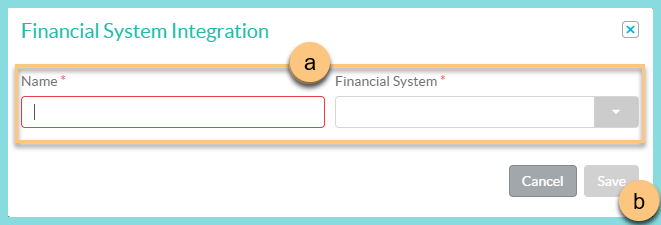
Click Add New Financial System Integration to create a new integration.
-
Enter an identifying Name for the integration and select your Financial System from the drop-down menu.
-
Click Save.
-
-
Click the Pencil for an integration to open the Financial Systems General Tab.